Generative AI (GenAI) refers to technologies that can create new content, such as text, images, video, code or audio. They can do this because they have been trained on large amounts of data, allowing them to recognise patterns and structures in, for example, language.
GenAI has become widely used in study, work and everyday life. Many people encounter it through chatbots such as ChatGPT, Claude, Copilot and similar tools.
GenAI can be a valuable support in your studies if you use it thoughtfully and critically. For example, you can use it to explore ideas, understand difficult topics, get an overview, receive feedback, plan your work or prepare for exams.
GenAI can seem simple to use: you write something to a chatbot and receive an answer. Behind the chatbot's simple interface, however, is technology that affects the answers you get and how you should assess them.
You do not need to be a technical expert to use GenAI. But a basic understanding of the technology can help you use it more purposefully, assess a chatbot's answers critically and use them to support your studies.
Knowing some common terms and concepts can help you use GenAI thoughtfully and responsibly. It makes it easier to understand the technology and talk about it with others.
Practise your AI terminology with Studypedia's flashcards. You can use the interactive flashcards on this page or download them using the green button below if you'd like to save them in your notes or print them out. You'll also find a blank template if you would like to add more words and concepts to your flashcard set.
A prompt is the instruction or question you give a chatbot. A good prompt does not have to be long or perfect from the outset. What matters most is that it fits your purpose. You can add information, ask follow-up questions and adjust your approach as you go.
GenAI generates answers based on statistical patterns in its training data. It does not understand content in the same way a person does. An answer can therefore sound convincing without necessarily being accurate, complete or relevant. It is important that you assess and work with the answer yourself.
You can use these four elements to help you write a prompt. You do not always need to include all of them.
Element | What can you describe? | Ask yourself |
|---|---|---|
Task
| Explain what you want the chatbot to help you with, such as explaining a concept, asking questions or giving feedback. | What do I want help with? |
Format
| Describe how you want the answer presented, such as in bullet points, a table, a step-by-step explanation or a short text. | What should the answer look like? |
Tone
| Specify how you want the answer expressed, such as simply, academically, formally or in accessible language. | How should the answer sound? |
Context
| Give the chatbot the information it needs to understand your situation, such as your subject, level, purpose or prior knowledge. | What does the chatbot need to know to help me? |
Explain the concept of self-regulated learning [task] in five short points, and give a concrete example [format]. Use language that is easy to understand while remaining academically sound [tone]. I am a master's student and need the explanation to prepare for class [context].
In the online course Learn GenAI, you can explore prompting in more detail and learn more about the four elements. For example, the course includes a prompt quiz with concrete examples, where you can practise recognizing and writing prompts for different study situations.
When you encounter a new academic concept, it can be difficult to understand its meaning, nuances and context. GenAI can help by offering alternative explanations, concrete examples and comparisons with something you already know. In this way, GenAI can act as a patient study partner that explains the concept in different ways.
Academic writing involves expressing and organising ideas so that they are clear to the reader. GenAI can provide feedback on your text’s clarity, coherence, language and structure. For example, it can identify unclear wording or weak arguments. Use the feedback as a starting point for your own assessment and revision.
Developing a hypothesis involves connecting subject knowledge with an assumption that can be investigated. GenAI can help you explore relationships, challenge assumptions and formulate alternative hypotheses. Use its suggestions as a starting point for further work, and assess whether the hypotheses are academically sound and can be investigated.
It can be difficult to get started when you need to find a topic, develop a project or solve a problem. GenAI can offer new perspectives, alternative suggestions and ways to combine ideas. Use its suggestions to challenge and develop your own ideas further.
Longer writing projects involve many decisions about academic content, methods and how to communicate your work. GenAI can help you organise your work, explore possible structures, challenge arguments and prepare questions for your supervisor. Use it as an additional study partner along the way. You remain responsible for your project’s content and decisions, and GenAI cannot replace your supervisor.
When a problem is complex or overwhelming, it can be difficult to know where to begin. GenAI can help you break the problem down, identify key questions and explore possible approaches. Use its suggestions to get an overview and plan concrete next steps that you can work through yourself.
Data analysis requires you to choose a suitable method, examine your data and interpret the results. GenAI can help explain analytical methods, plan steps, suggest code and explore possible interpretations. You need to check the analysis yourself and assess whether the method and interpretation fit your data and academic context.
It can be difficult to understand what a piece of code does and how its individual parts fit together. GenAI can explain the code’s logic, suggest changes and identify possible errors. Build your understanding by tracing the logic yourself, predicting the result and testing what happens when you change the code.
You can use GenAI both when working individually and when collaborating with others, for example in a study group. You can use it during the semester and in connection with exams if your degree programme regulations allow it. GenAI should not replace your own academic work. Assess its output critically, work further with it, take responsibility for your learning and be able to explain and stand behind your use of it.
GenAI can help you get an overview and organise and plan your studies. Here are concrete examples of how you can use it for support.
Planning and structure | |
|---|---|
Notes and organisation
| GenAI can help you structure your own notes and gain an overview of key themes, concepts and connections. This can be useful, for example, if you have extensive notes from classes, reading or group work that you would like to organise by topic or bring together in a clearer structure. GenAI can also help you create a template or framework for structuring future notes. |
Generating ideas and narrowing your focus
| GenAI can be used in the early stages of an assignment to explore a topic and consider possible angles. It can help you generate ideas, ask new questions and narrow down a broad topic before you choose the direction you want to pursue. |
Planning your semester and daily study routine
| GenAI can help you organise your daily study routine and keep track of your work. For example, you can use it to break larger assignments into smaller tasks, plan your reading, keep track of deadlines or create a realistic plan for preparing for an exam. |
Create a project or an agent for a course
| Some GenAI tools allow you to create projects or agents. You can use them to work with questions, notes, concepts and reflections on course content in one place, making it easier to return to and build on your work throughout the semester. |
GenAI can support you before, during and after reading. For example, you can use it to explore alternative explanations of difficult topics, test your understanding and identify areas you need to work on further.
Reading and understanding | |
|---|---|
The reading process
| GenAI can support your reading process before, during and after reading. For example, you can use it to gain an initial overview of the topic and formulate questions before you read, get help with difficult concepts along the way, and review the text’s key points and reflect on what you have learned afterwards. This can help you read more actively and with greater focus. |
Understand a topic
| GenAI can be used to explain difficult concepts, theories or connections within a subject in different ways. For example, you can ask for a simpler explanation, a concrete example or a comparison with something you already know. The explanation can give you a starting point that you can then compare with your course readings and teaching materials. |
Test your understanding
| GenAI can be used to test whether you have understood a topic. For example, you can ask it to pose questions, create a short quiz or challenge you to explain key concepts in your own words. In this way, GenAI can act as a practice partner. |
Identify gaps in your knowledge
| GenAI can help you identify what you have left out or have yet to learn. For example, you can explain a topic in your own words and ask GenAI to pose follow-up questions or point out concepts or connections you have overlooked or should explore in more detail. This can help you focus your further reading. |
GenAI can support you as you develop, work on or communicate your own academic content. For example, you can use it to explore different perspectives, move forward with your writing or get help with visualisations and programming.
Developing and creation | |
|---|---|
Exploring perspectives and thinking critically
| GenAI can be used to explore different perspectives on a topic. For example, it can help you identify counterarguments, alternative explanations or possible weaknesses in your own reasoning. In this way, GenAI can support more nuanced reflection on your subject. |
Get started with writing
| If you get stuck at the beginning of an assignment or a section, GenAI can help you move forward. For example, it can help you explore possible angles, organise your thoughts or identify the next step in the writing process. |
Figures and visualisations
| GenAI can be used to generate ideas for figures, models, tables, diagrams or other visual representations. This can be useful if you need to provide an overview of a process, compare concepts or present an academic point visually. |
Programming
| GenAI can support your programming work. For example, you can use it to understand error messages, get explanations of code, receive suggestions for improvements or get help with simple coding tasks. However, it is important that you understand the code you use and submit. |
GenAI can offer another perspective on your work and support you as you revise it. For example, you can ask for feedback on your own work and suggestions for specific ways to act on that feedback.
Feedback and revision | |
|---|---|
Feedback
| GenAI can be used to get feedback on text you have written yourself. For example, you can ask for feedback on clarity, structure, coherence, argumentation or passages that seem unclear. This feedback can offer an additional perspective on your work, which you can assess and use to develop it further. |
Working with feedback from a lecturer
| GenAI can be used to work with feedback you have received from a lecturer or supervisor. For example, it can help you turn feedback into concrete actions, understand comments or create a plan for improving your assignment. |
Alternative wording
| GenAI can help you explore different ways of expressing a point. This can be useful if a sentence is unclear, too long or difficult to put together. However, you still need to assess whether the wording reflects what you actually want to say. |
Grammar and language
| GenAI can provide language support, for example with grammar, punctuation, sentence structure or academic language. This can be particularly useful if you are writing in a language other than your first language, or if you want to make your text clearer and more precise. |
GenAI can be part of a study group's work in many ways. It can support both your collaboration and your shared learning. For example, you can use it as an additional “group member” that contributes questions, perspectives and suggestions, or to help you organise your work and review course material. It is also important to talk openly about your use of GenAI, agree on expectations and make sure everyone understands and can take responsibility for your shared work and its results.
How can you use GenAI in your study group? | |
|---|---|
Talk openly about GenAI
| Talk about your experiences with GenAI and your expectations and boundaries for its use in the group. Some may see opportunities, while others may feel unsure or prefer to work without it. Be open about how each of you uses GenAI so you can take each other’s preferences into account and build trust in your shared work. |
Discuss dilemmas and grey areas
| Use concrete situations to explore and discuss your boundaries for using GenAI. For example, you could discuss the difference between feedback and rewriting, or the use of AI-generated summaries as preparation. Talk about what each of you finds acceptable and why, and gain a better understanding of each other’s views. You can find and download discussion cards below the table. |
GenAI agreement for study groups
| Make GenAI part of your study group agreement. For example, agree on which tasks you will use GenAI for, how you will share and discuss your use of it, and how you will assess and work with chatbot output. You can find and download a study group agreement below the table. |
Share experiences and learn from each other
| Learn from each other in your study group to develop your understanding of how to work with GenAI. For example, you can compare responses to different prompts or try out different chatbots together. Share both positive and negative experiences, and discuss what you can apply in your individual and shared work. |
Meetings, structure and division of tasks
| GenAI can help you structure your collaboration. For example, you can ask for agenda suggestions, turn meeting notes into checklists of your next steps or break a larger assignment down into smaller, concrete tasks. |
GenAI as an extra study group member
| GenAI can act as a sounding board when you develop ideas, explore academic questions or discuss an assignment. For example, you can ask it to pose probing questions, suggest other perspectives or challenge your reasoning. Formulate questions and prompts together so you discuss your purpose and your understanding of the topic. Afterwards, assess and discuss which parts of the response you can use and what requires further investigation. |
Revision and exam preparation together
| GenAI can support your study group when revising course material or preparing for an exam. For example, you can use GenAI to get an overview of key concepts, themes and theories, generate practice exam questions, compare different theories or practise explaining concepts aloud. This can help you identify gaps in the group’s understanding and make your exam preparation more active and focused. |
Check the quality of your shared work
| Before you use or submit shared work, it can be a good idea to check its quality. For example, check whether everyone in the group understands the text, can explain key concepts and agrees on any GenAI use that needs to be declared. This can help ensure that everyone can take responsibility for your shared work. You can find and download a checklist for group work below the table. |
GenAI can help you get started with an information or literature search. It can suggest search terms and possible angles. You can then continue your search and check information in relevant databases and academic sources.
Information and literature search | |
|---|---|
Start your search
| GenAI can help you get started with a literature or information search. For example, it can help you identify relevant search terms, synonyms, English terminology in your subject area or possible angles on a topic. You then need to carry out the search yourself using relevant databases and academic sources. |
Since the autumn semester of 2024, the use of generative AI (GenAI) has been permitted in all exams at Aarhus University (AU), unless the degree programme regulations or course description explicitly state that it is not permitted. The rules have been incorporated into the individual degree programme regulations and course descriptions, so check the course catalogue to see what applies to your course.
Exams and preparation | |
|---|---|
Exam preparation
| GenAI can support your exam preparation. For example, you can use it to revise key concepts, compare theories, get an overview of course material or practise explaining concepts aloud. This can help you engage more actively with what you need to know and be able to do. |
Role-play and academic discussion
| GenAI can be used to practise academic discussions, presentations or supervision sessions. For example, this can help you prepare for an oral exam, a presentation or a discussion where you need to explain ideas, present arguments and answer questions. |
When using GenAI, it is essential to carefully read your academic regulations, the details of exam activities in the course description and, especially, AU's guidelines for GAI.
The rules for using GenAI in exams may change. It is therefore essential to stay up to date through the following resources:
When using GenAI in exams, you should be aware of the following: |
|
When you use GenAI in your studies, it's a good idea to pause from time to time and reflect on how you're using it. Here, you'll find guidance on how to engage critically with GenAI and recognise some of the ethical questions that may arise.
Use GenAI thoughtfully | |
|---|---|
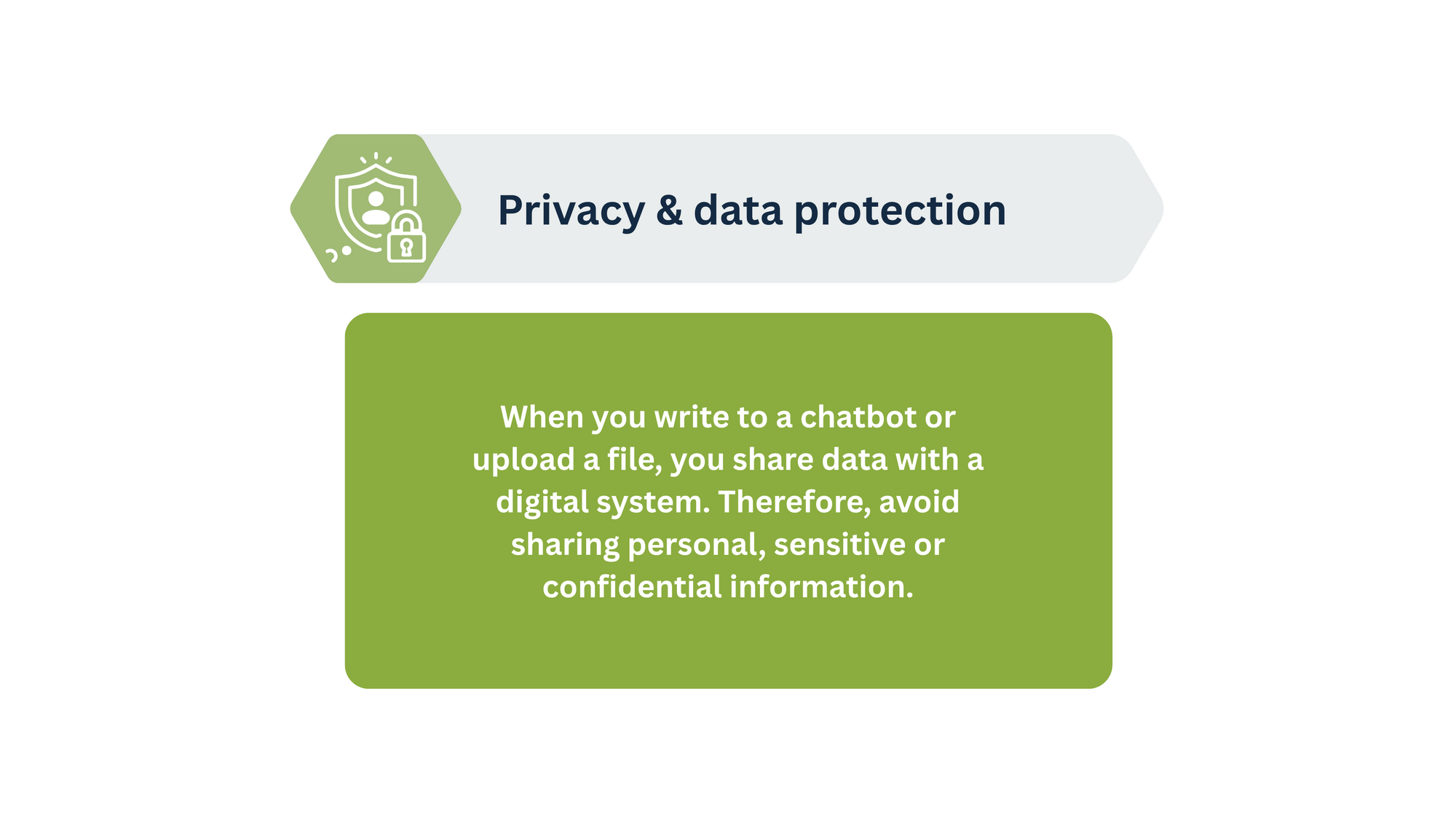
| Think before you upload | Be mindful of the material you share with a GenAI tool. Avoid uploading personal data, confidential material, internal documents, interview data, other students’ writing or material you do not have permission to share. This also applies to copyrighted material such as articles, books, images or your lecturers’ slides. Ask yourself:
|
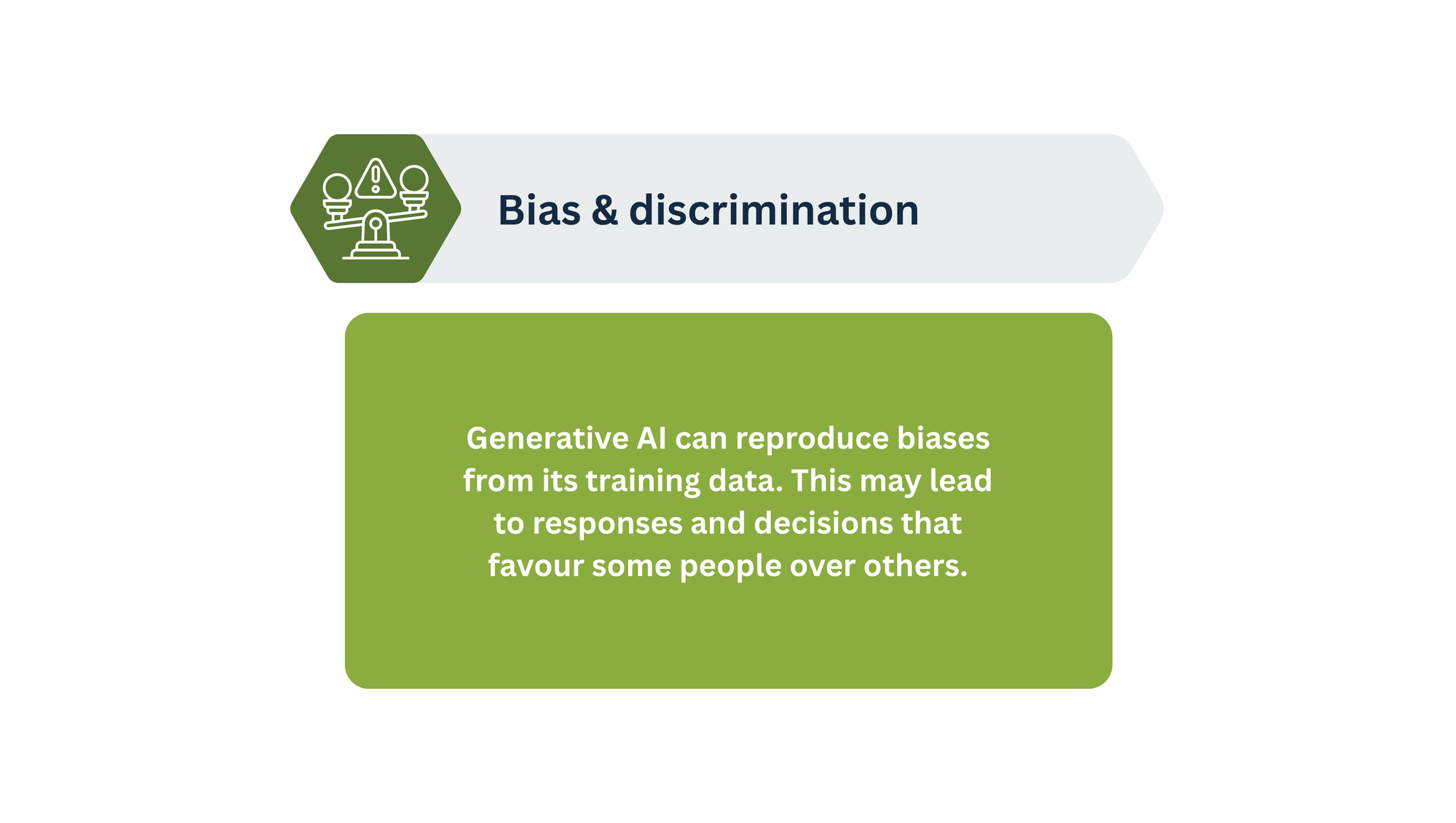
| Evaluate output critically | GenAI output can seem convincing, but it is not necessarily accurate, neutral or comprehensive. It may contain errors, biases, oversimplifications or missing perspectives. You should therefore always engage with and evaluate the output. Ask yourself:
|
| Be open about your use | It can be important to be transparent about how you have used GenAI, particularly in study groups, group assignments and exam work. Openness can build trust and make it clear who has done what and how GenAI has been used in the process. Ask yourself:
|
| Use GenAI with a purpose | Training and running GenAI systems requires energy and resources. It can therefore be helpful to consider when using GenAI adds value. This is not about avoiding GenAI altogether, but about using it thoughtfully and where it is relevant. Ask yourself:
|
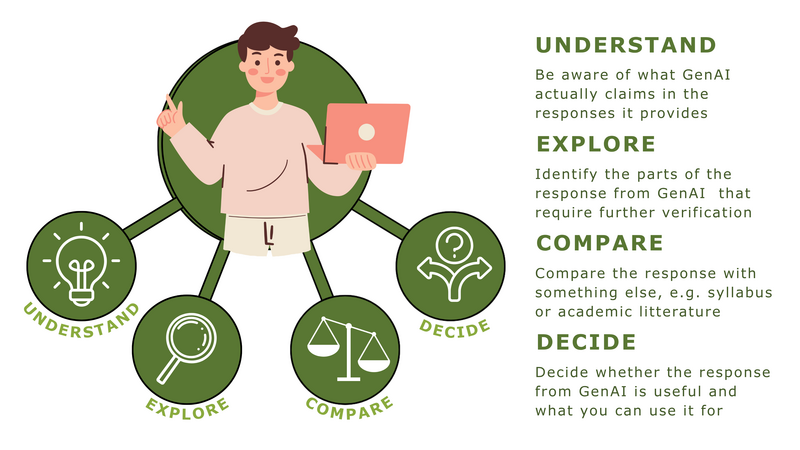
GenAI can produce answers that sound confident and convincing without necessarily being accurate, complete or relevant. Thinking critically therefore involves more than finding factual errors in a chatbot's answers. It also means examining what an answer is based on, which perspectives are missing and whether it fits your academic context.
Thinking critically also means staying curious and asking questions, both when using GenAI and when discussing it with others.
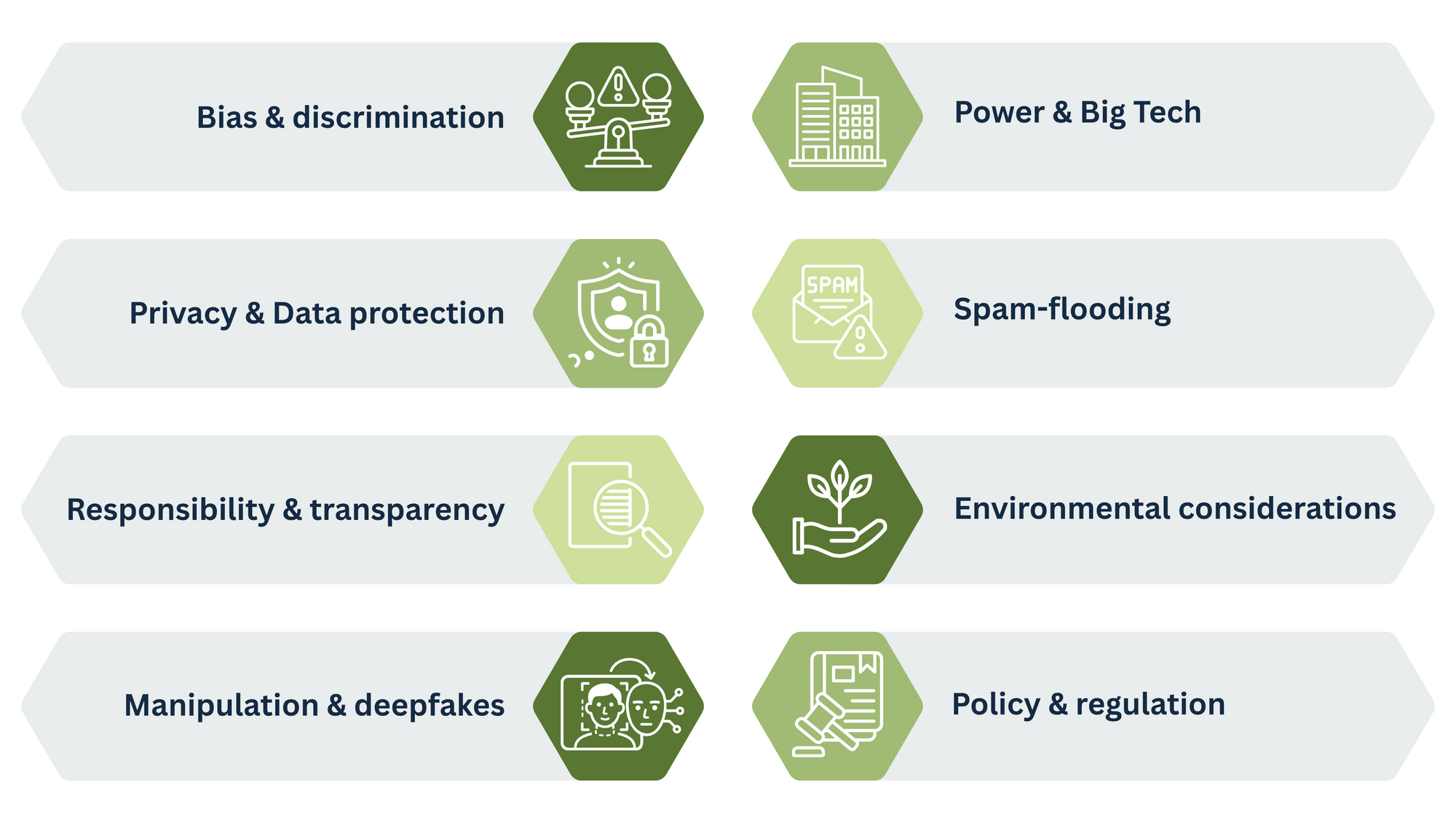
GenAI raises ethical questions about both your own use of the technology and its effects on other people and society. Here is a brief overview of some key issues to consider.